
How to Adjust the Ring Time for Incoming Calls
The ring time setting controls how long your Vumber rings before the call is sent to voicemail if unanswered. Follow the steps below to adjust this setting.
Changing the Ring Time in the Vumber Dashboard:
- Log in to your Vumber account.

- Click on "My Numbers" in the menu.

- Find the Vumber you want to update and click "Configure" next to it.

Navigate to the "Call Forwarding" tab.


- Select "Edit" beside the forwarding method.
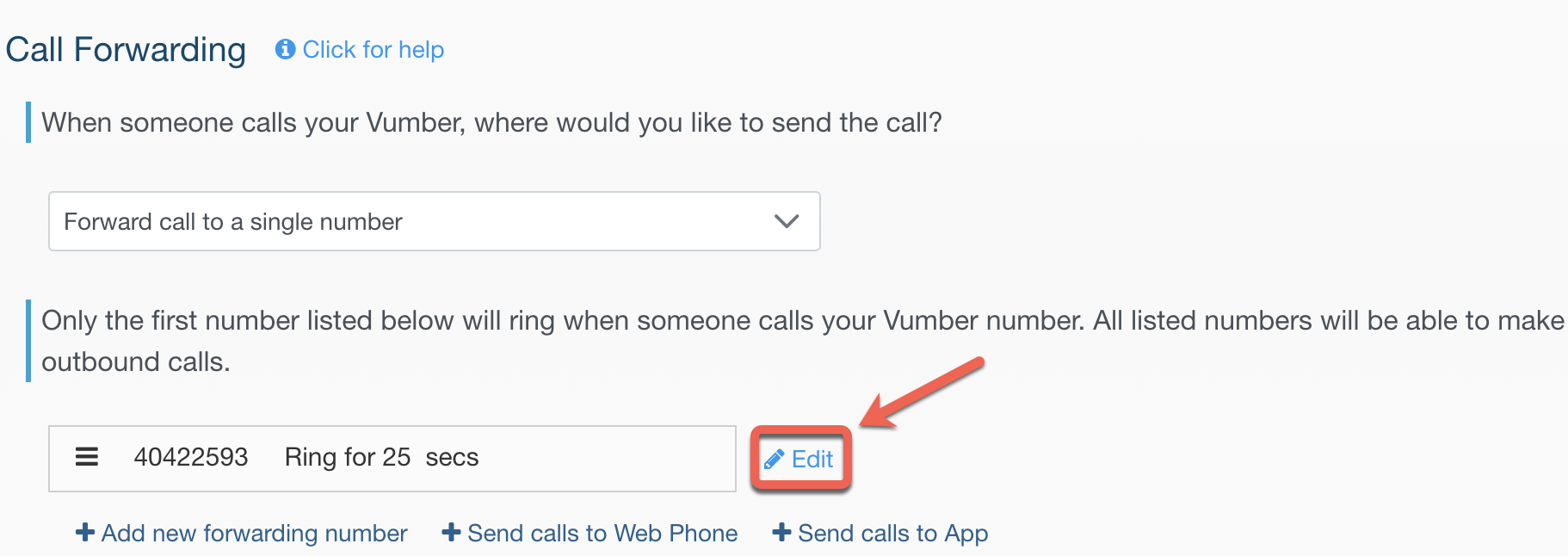
- Adjust the duration as needed in "Seconds to ring" and click "Save" to apply your changes.

Changing the Ring Time in the Vumber App:
- Open the Vumber app on your device.
- Tap on the menu icon and select "My Numbers".

- Choose the Vumber you want to modify.

- Go to "Call Forwarding" settings.

- Select the pencil icon beside the forwarding method.
- Adjust the duration as needed in "Seconds to ring" and click "Save" to apply your changes.
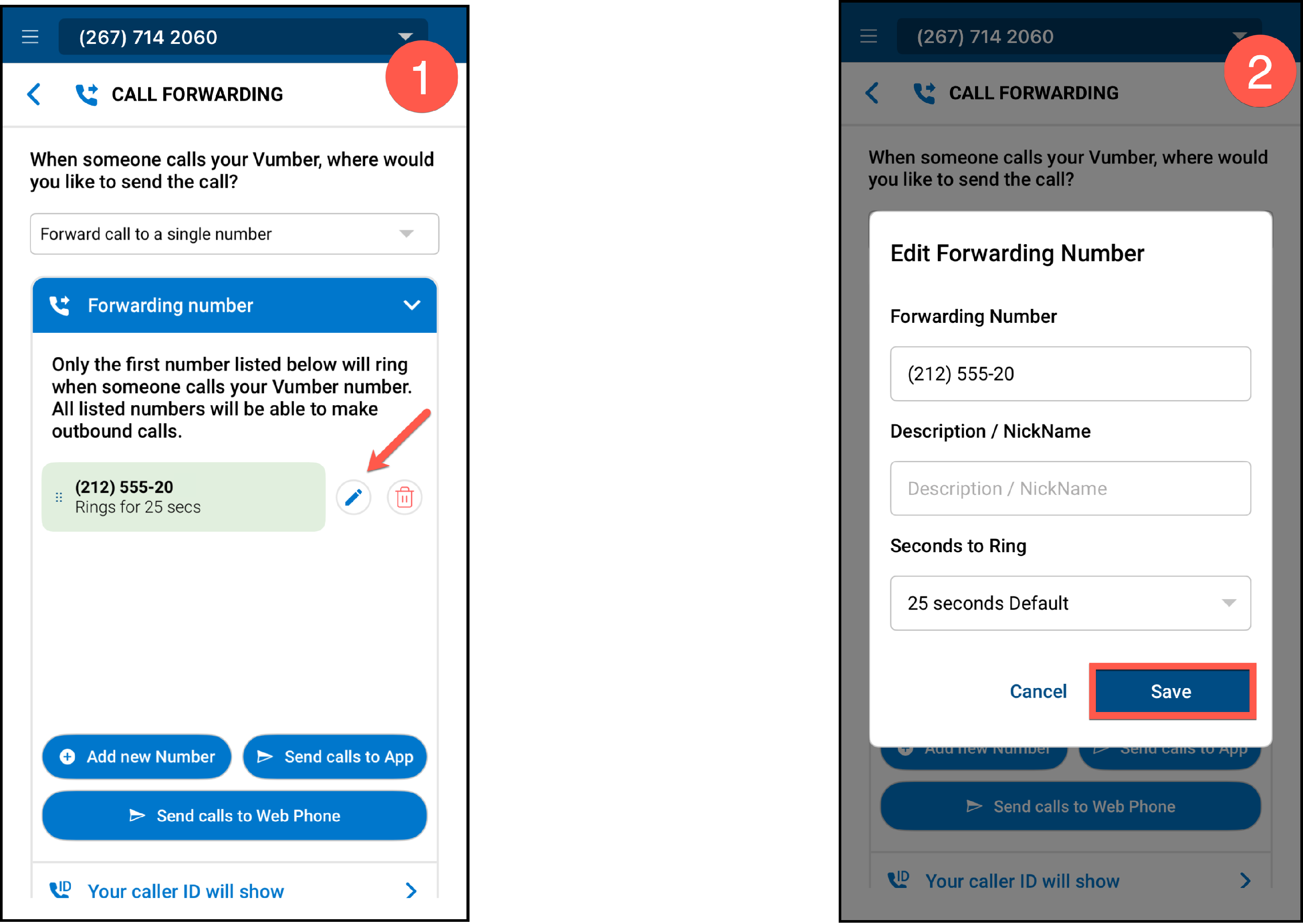
Your new ring time setting will take effect immediately.
If you encounter any issues or need further assistance, feel free to reach out to our support team.
The Vumber Team