
How to Check Your Minutes / Text Usage on the Vumber Dashboard
Keeping track of your minutes and text usage is essential to ensure you're within your plan's limits. Here’s a quick guide to check your usage for the current billing cycle on the Vumber dashboard.
To check your minutes and texts usage, follow these steps:
- Log in to your account by visiting the Vumber Dashboard at https://app.vumber.com.

- In the top right corner, select your username or email.
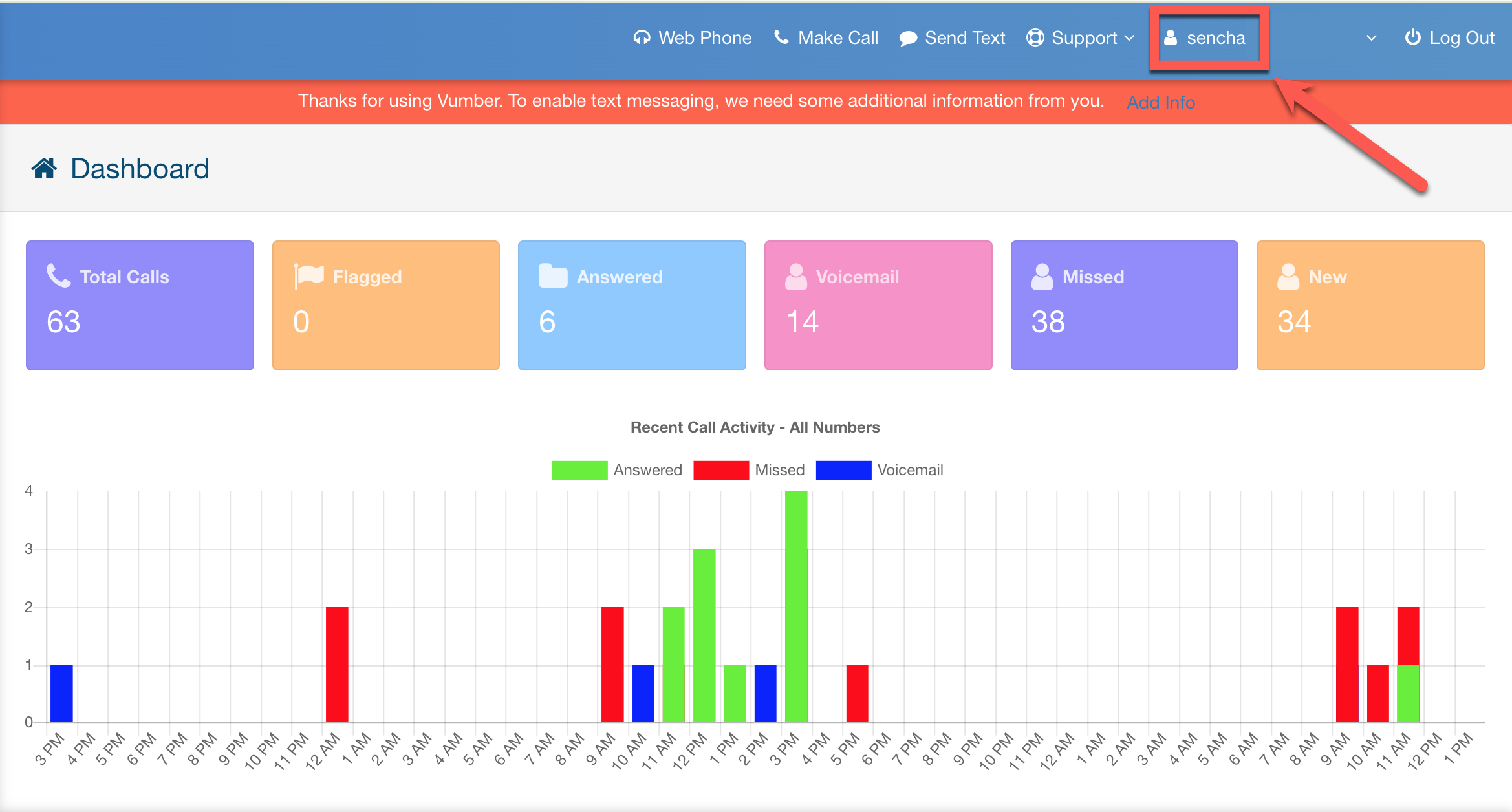
- From the dropdown menu, choose "Account".

- Navigate to the "Overview" tab.
- You will see your minutes and texts usage displayed beside "Current Plan".
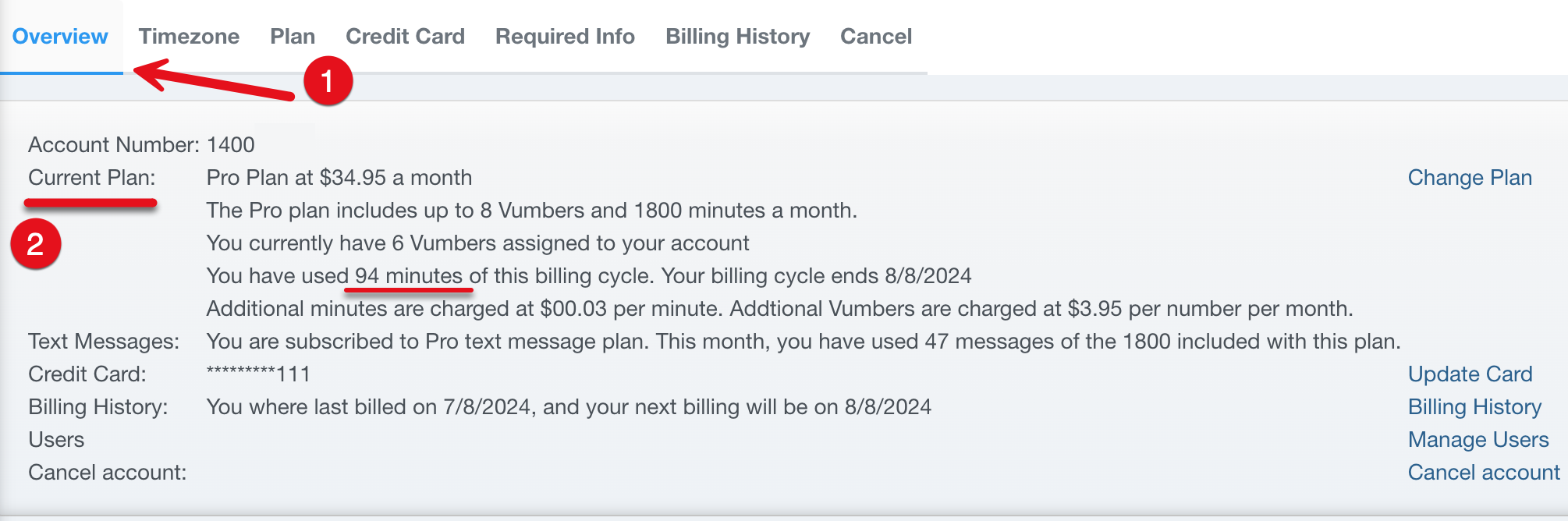
Your usage will reset at the start of your next billing cycle, which you can also see beside "Billing History" on the same screen.
If you encounter any issues or need further assistance, feel free to reach out to our support team.
The Vumber Team