
How to Change your Vumber Plan
If you're looking to adjust your Vumber service plan to better suit your needs, whether it's an upgrade or a change, the process is straightforward. Follow these simple steps to change your plan directly through the Vumber Dashboard.
To change your Vumber plan via your dashboard, follow these steps:
- Log in to your account by visiting the Vumber Dashboard at https://app.vumber.com.

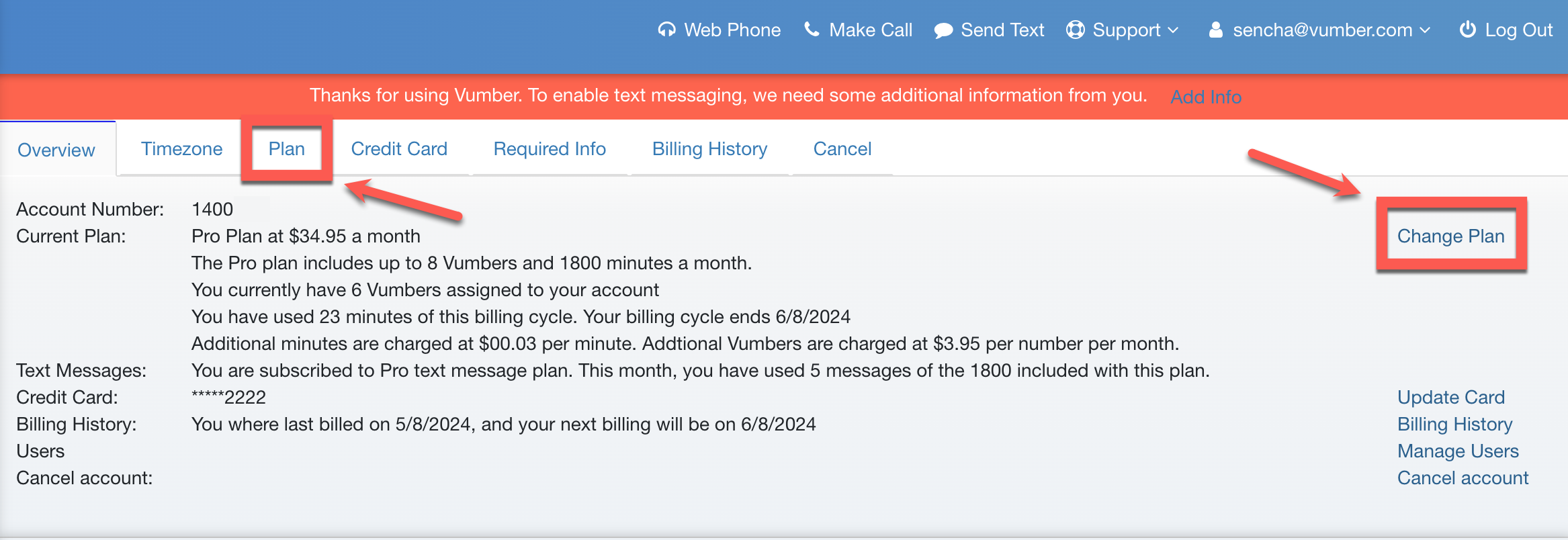
- Click on your username in the top menu bar, then choose "Account" from the dropdown menu.

- Click on the "Plan" tab, or select the "Change Plan" option located on the far right.
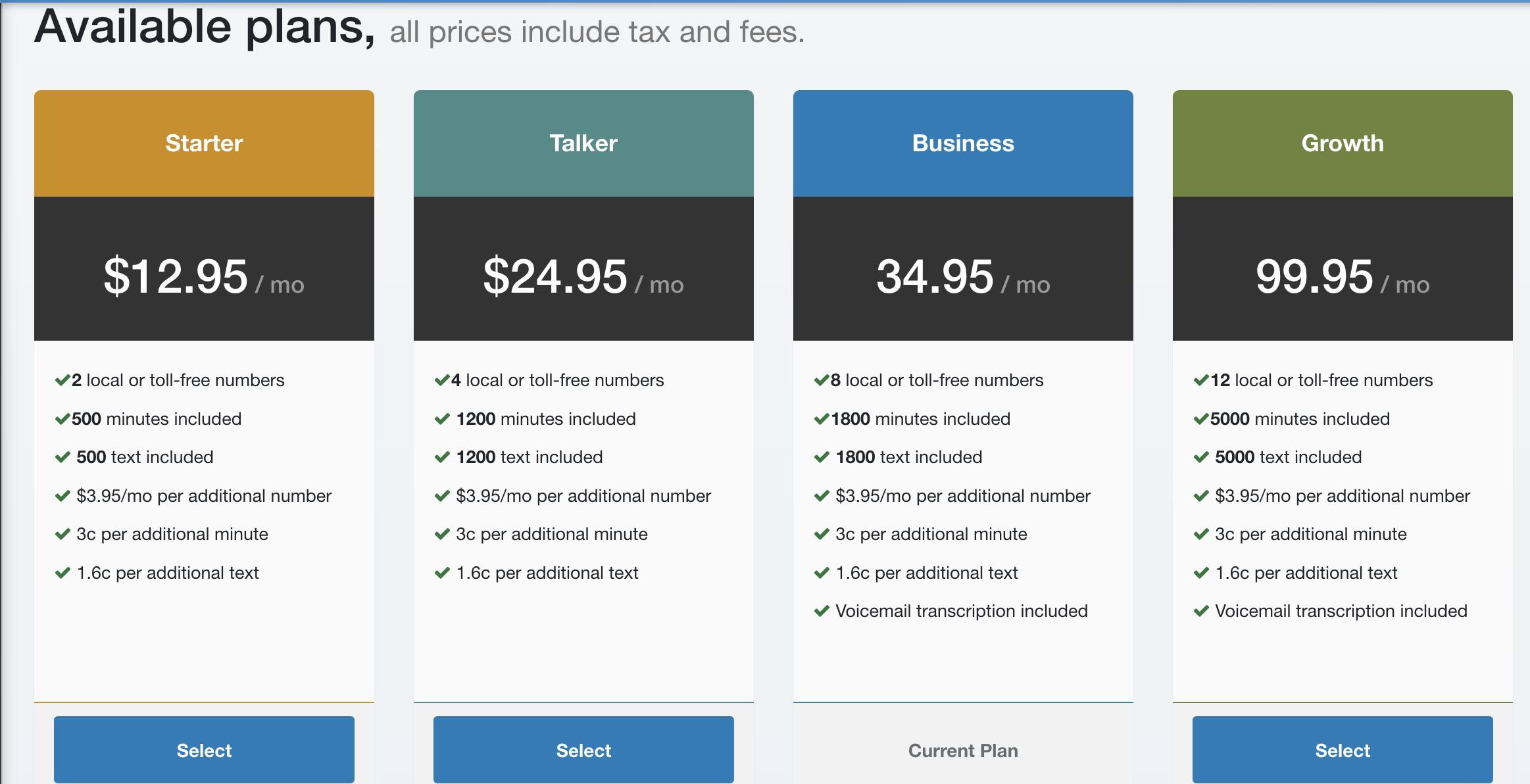
- Select your new desired plan from the options provided.
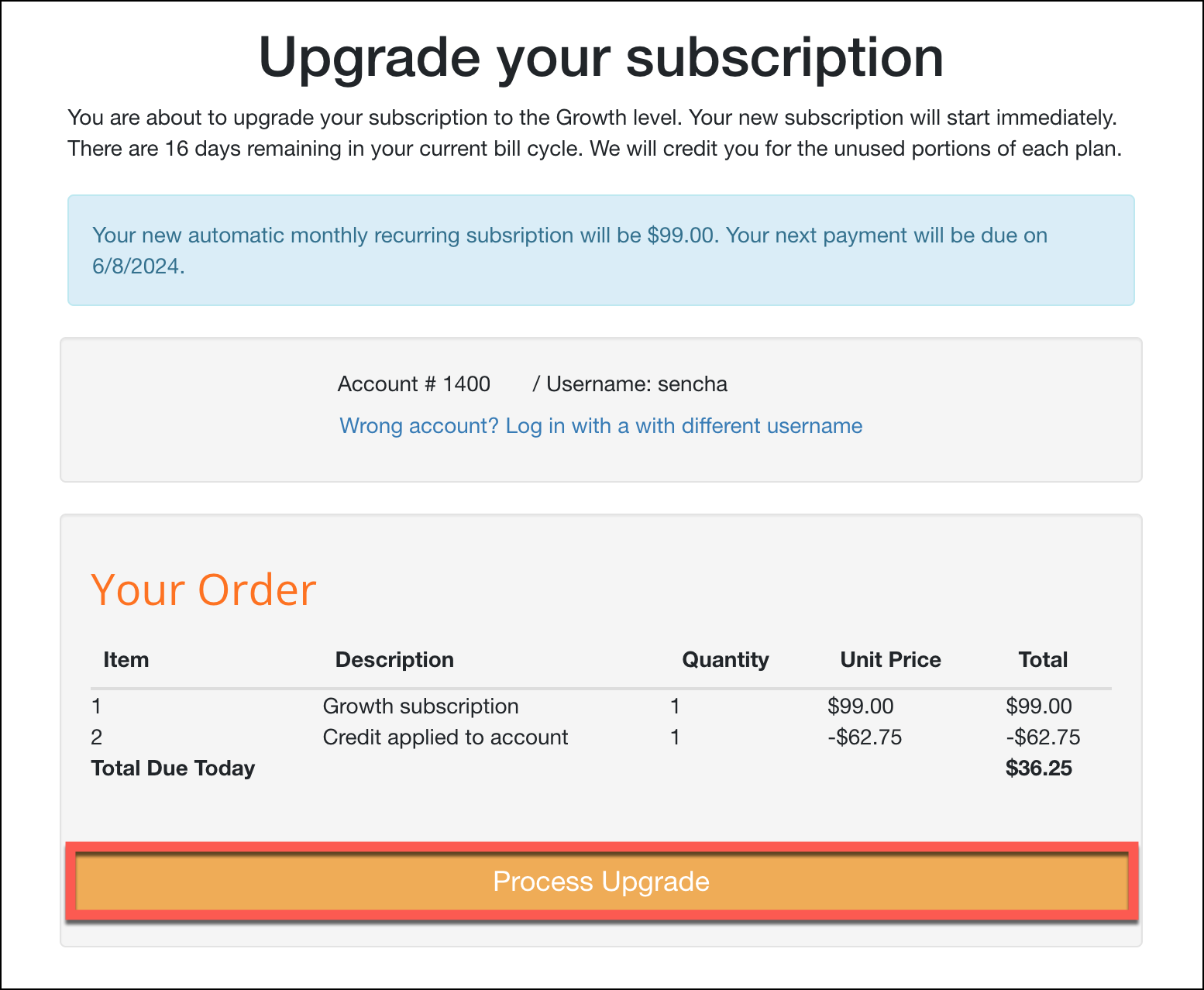
- Press the orange button to change the plan; the button will display "Process Update / Upgrade" depending on the type of plan change you are making.
If you encounter any issues or need further assistance, feel free to reach out to our support team.
The Vumber Team