
How to Remove a Vumber from your Account
If you need to remove a number from your Vumber account, the process is straightforward. Whether you're streamlining your account or no longer need a specific line, follow these simple steps to remove a number efficiently.
Steps to Remove a Number in the Vumber App:
- Open the Vumber app on your mobile device.
- Tap the Hamburger menu icon located in the top left corner of the screen.
- Select "My Numbers" from the menu options.

- Find the number you want to remove and click "Configure" next to it.

- Navigate to the "Settings" menu.
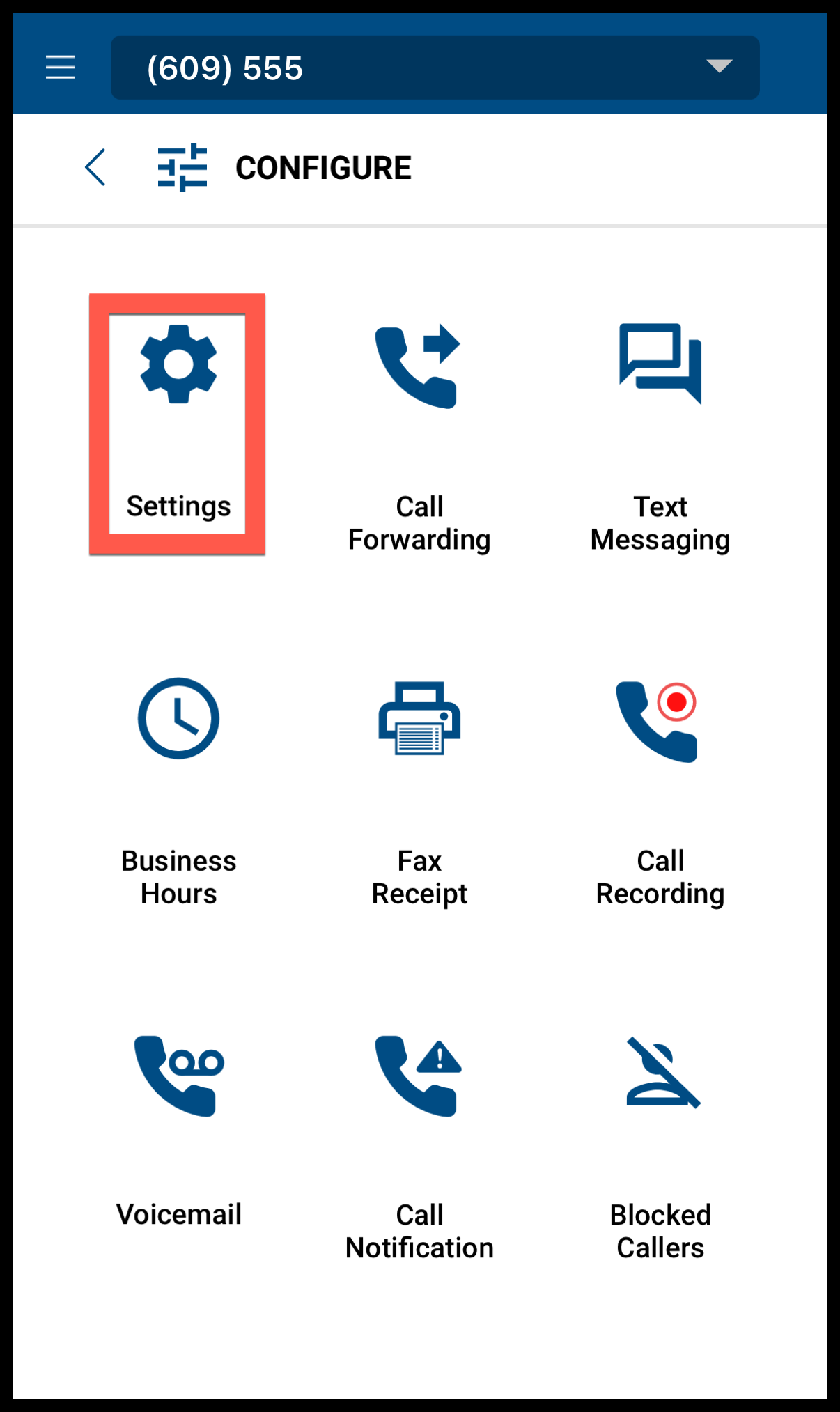
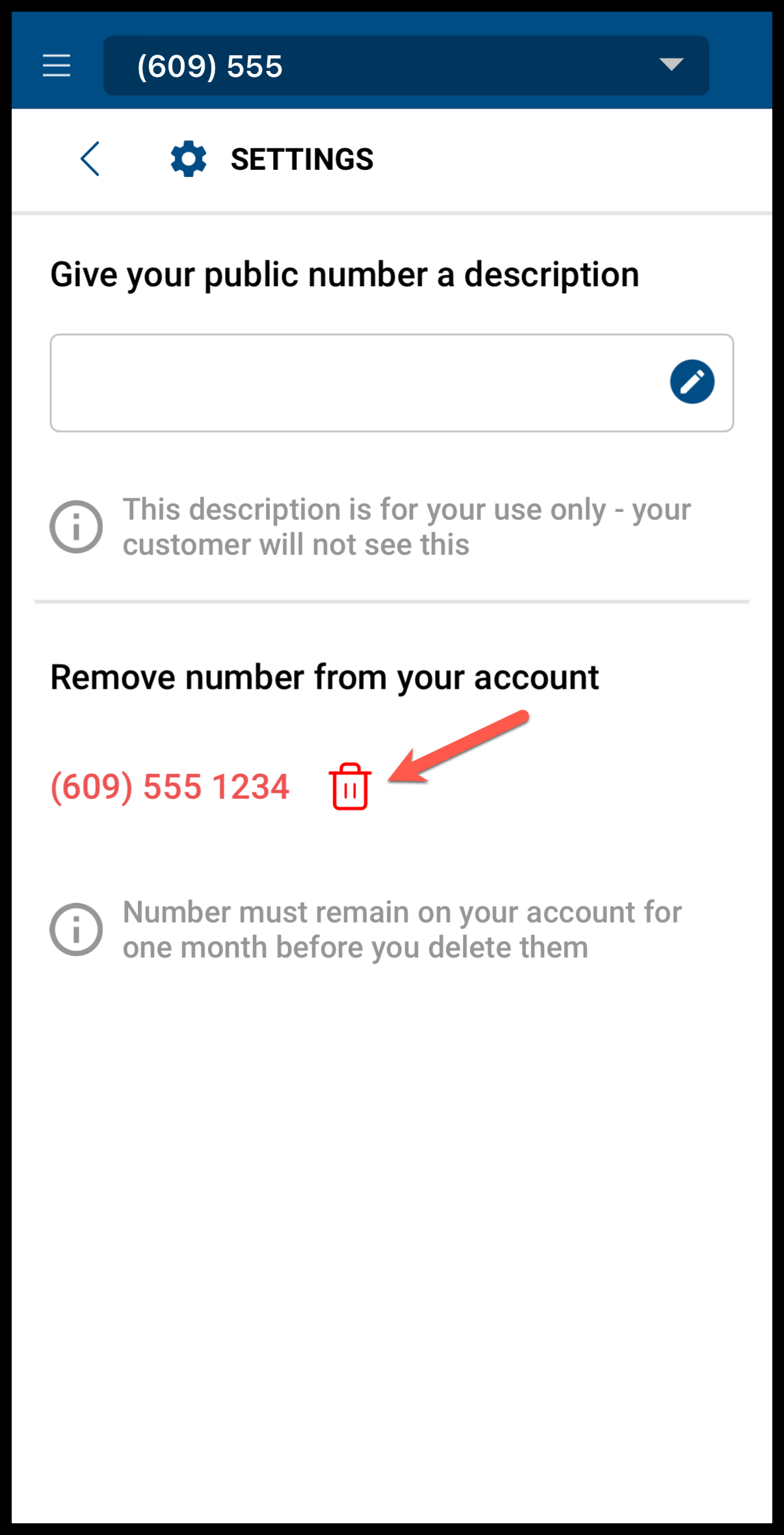
- Press the trash icon located under the "Remove number from your account" section.
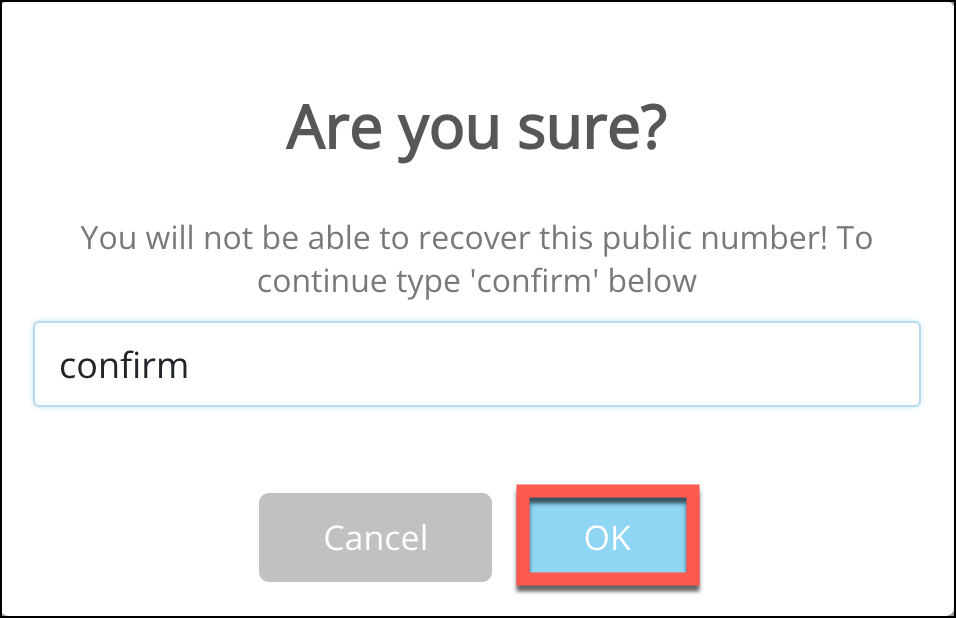
- You will be prompted to type "Confirm" to continue with the removal process.
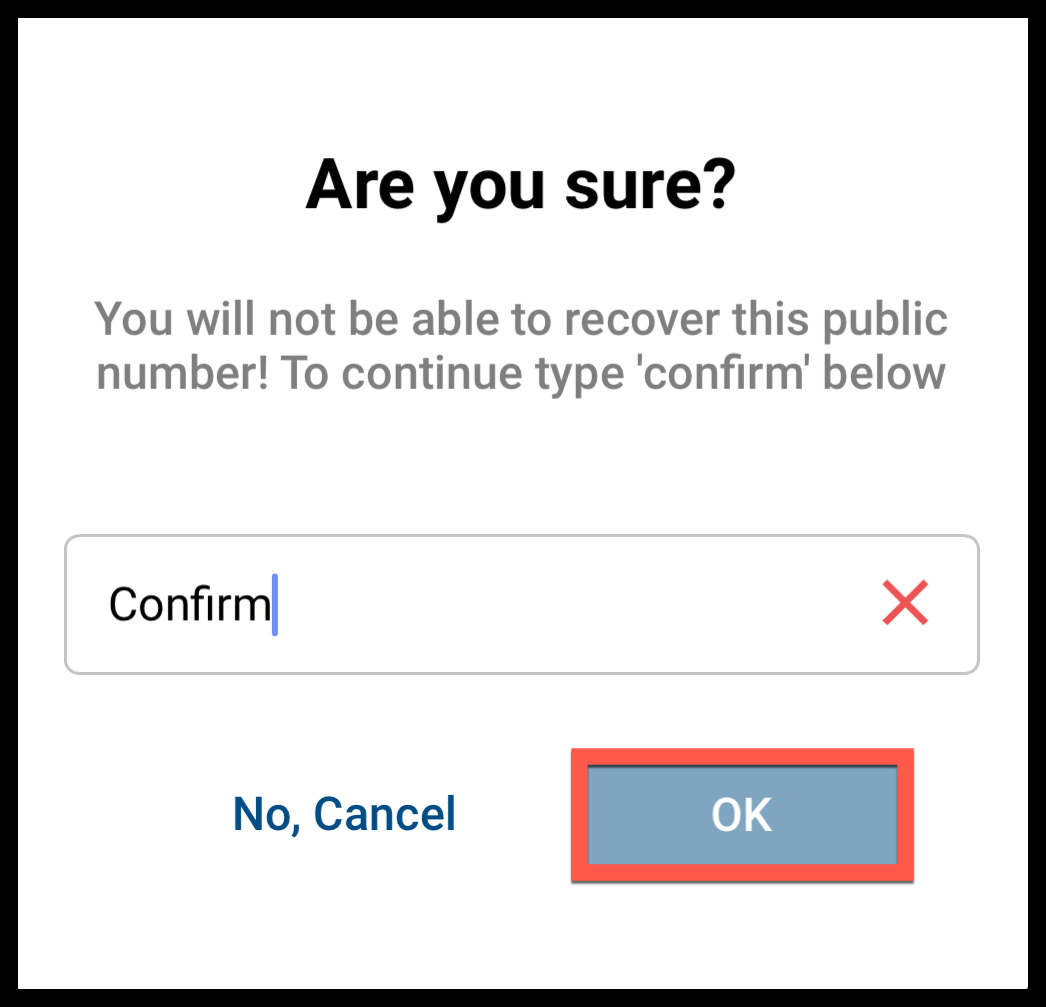
The associated Vumber number will now be deleted from your account.
Ensure you really want to remove the number as this action is irreversible. Once a number is removed, it is permanently deleted from your account and may not be recoverable.
Note: Numbers must remain on your account for one 1 month before you delete them.
Steps to Remove a Number in the Vumber Dashboard:
- Log in to your account at https://app.vumber.com.

- Click on "My Numbers" from the left-hand menu.

- Locate the number you wish to remove and click "Configure" for that number.

- Navigate to the "Settings" tab.
- Click the red button labeled "Remove this number" in the 'Remove number' section.
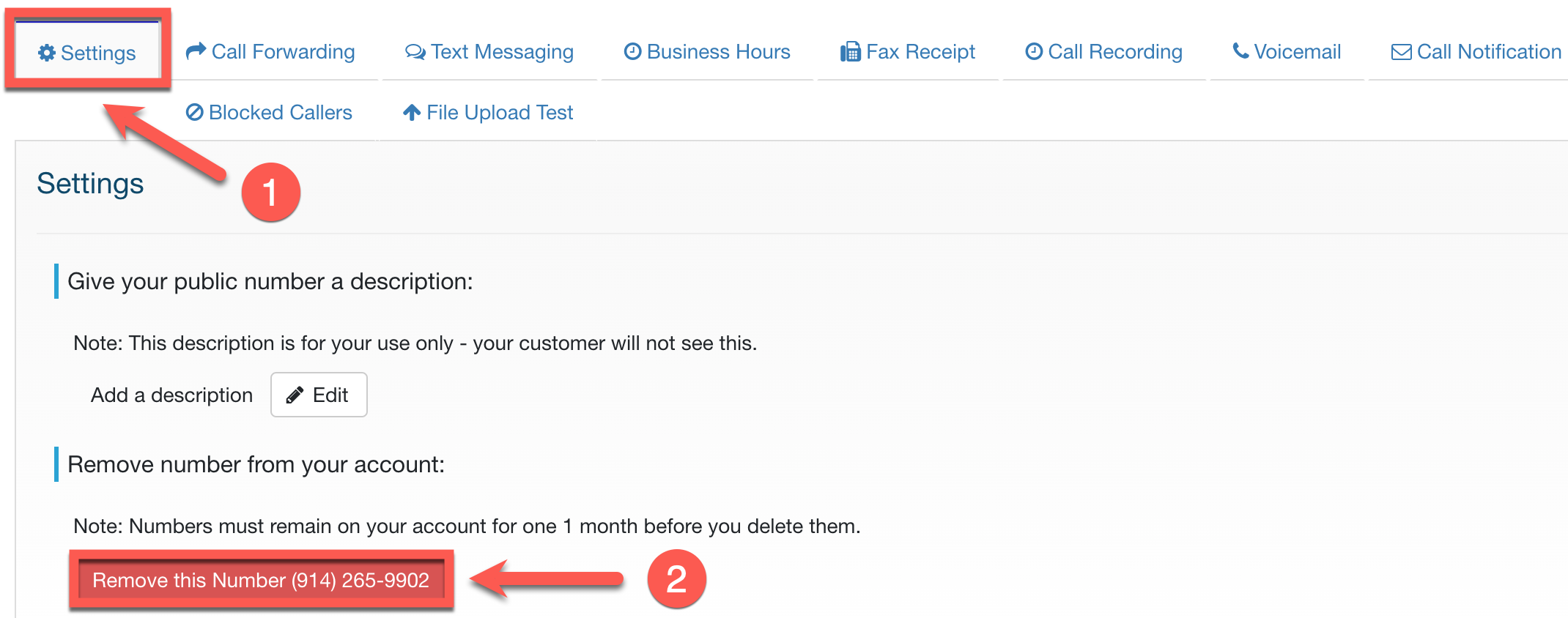
- You will be prompted to confirm your action by typing "Confirm" as required by the system.
If you encounter any issues or need further assistance, feel free to reach out to our support team.
The Vumber Team