
How to select to call from phone line or VoIP via the Vumber App
By default, the Vumber app uses your regular phone line for making calls. However, you have the option to switch to VoIP (Voice over Internet Protocol) if needed. VoIP can be advantageous in various situations, such as poor cell coverage, limited minutes on your mobile plan, or the need to make non-local calls.
Here's how to Enable VoIP for Calls in the Vumber App:
- Open the Vumber app on your mobile device.
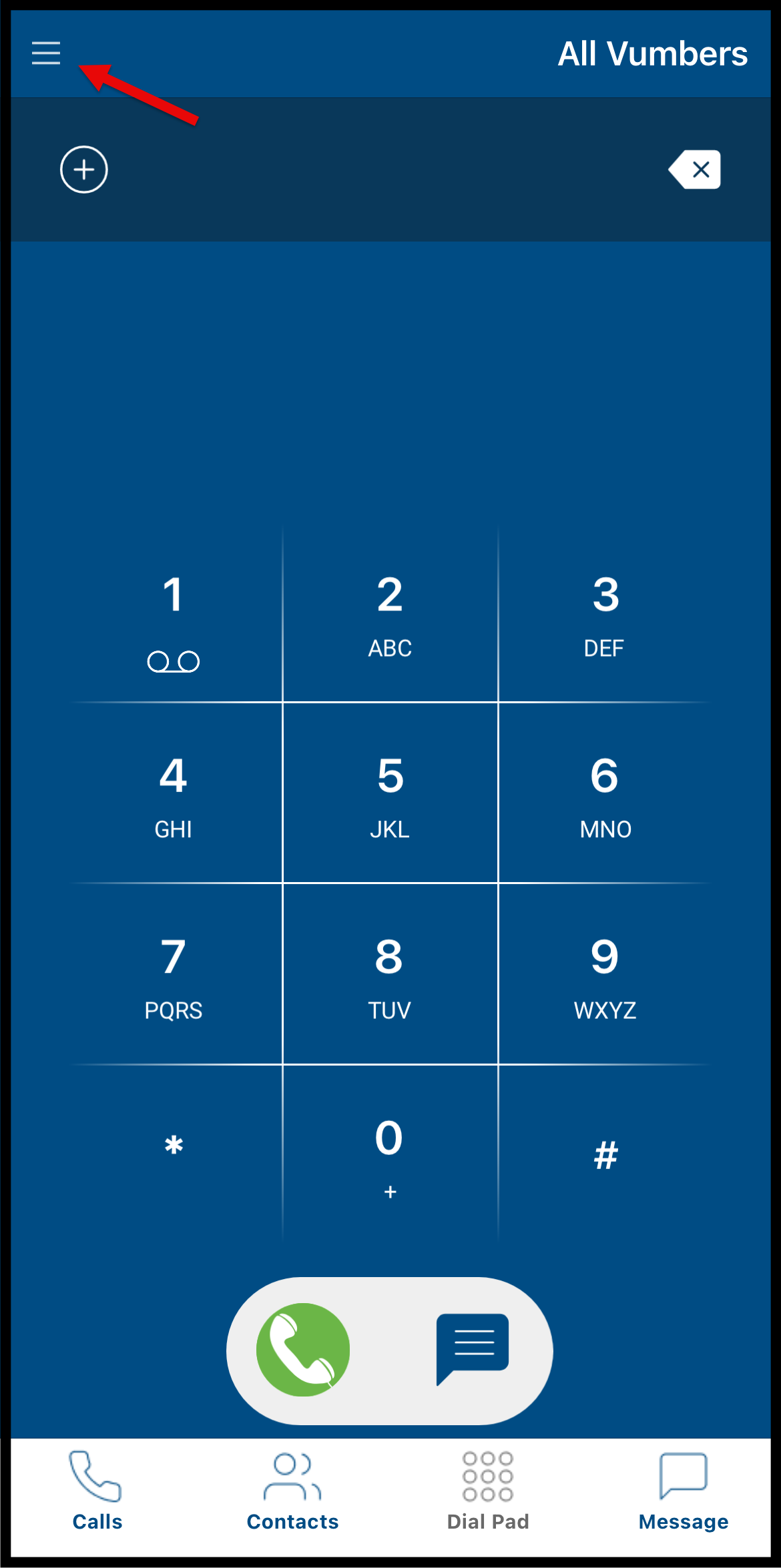
- Tap the hamburger menu icon in the top left corner.
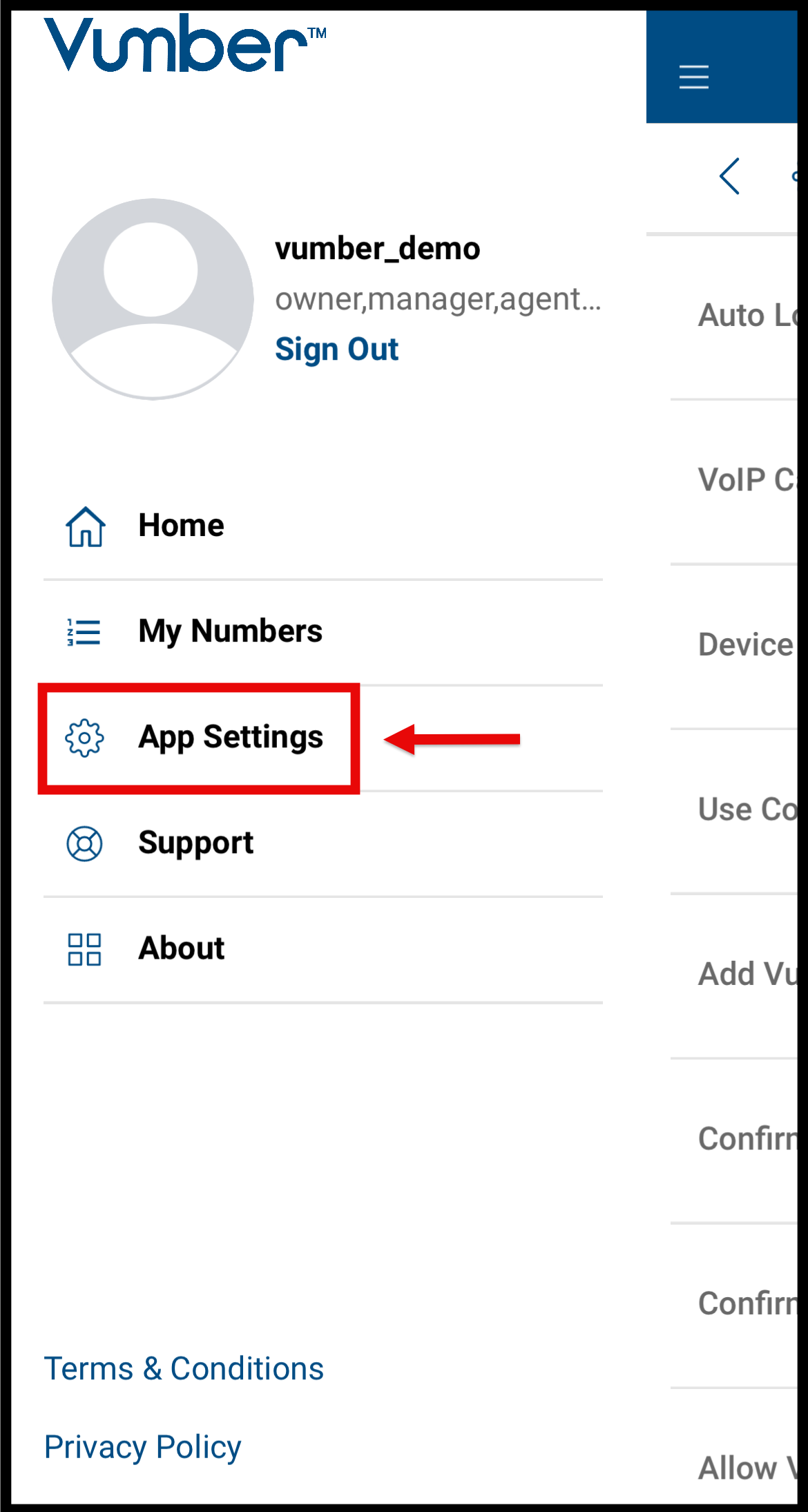
- Select "App Settings" from the menu options.
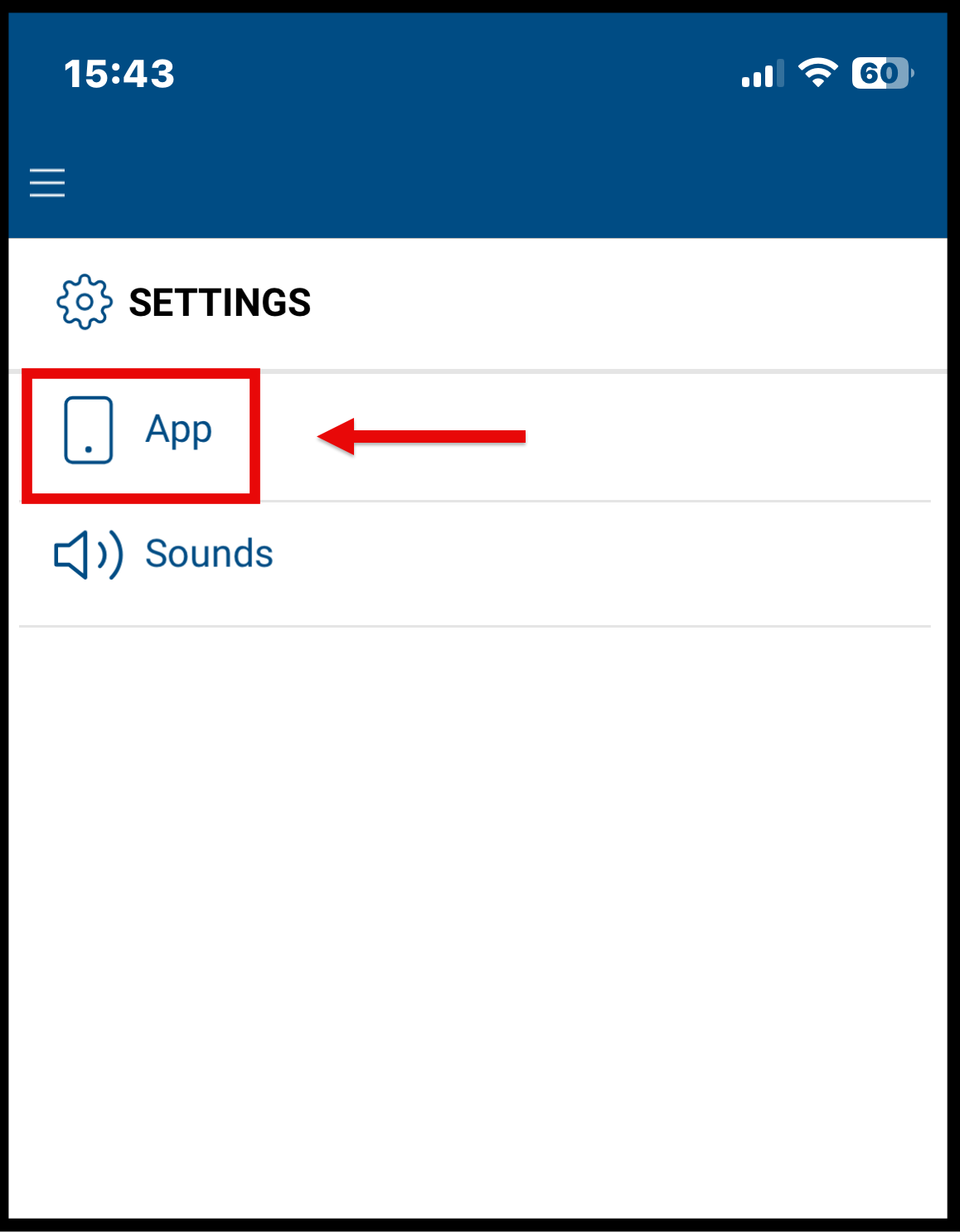
- Within the settings, choose the "App" option.
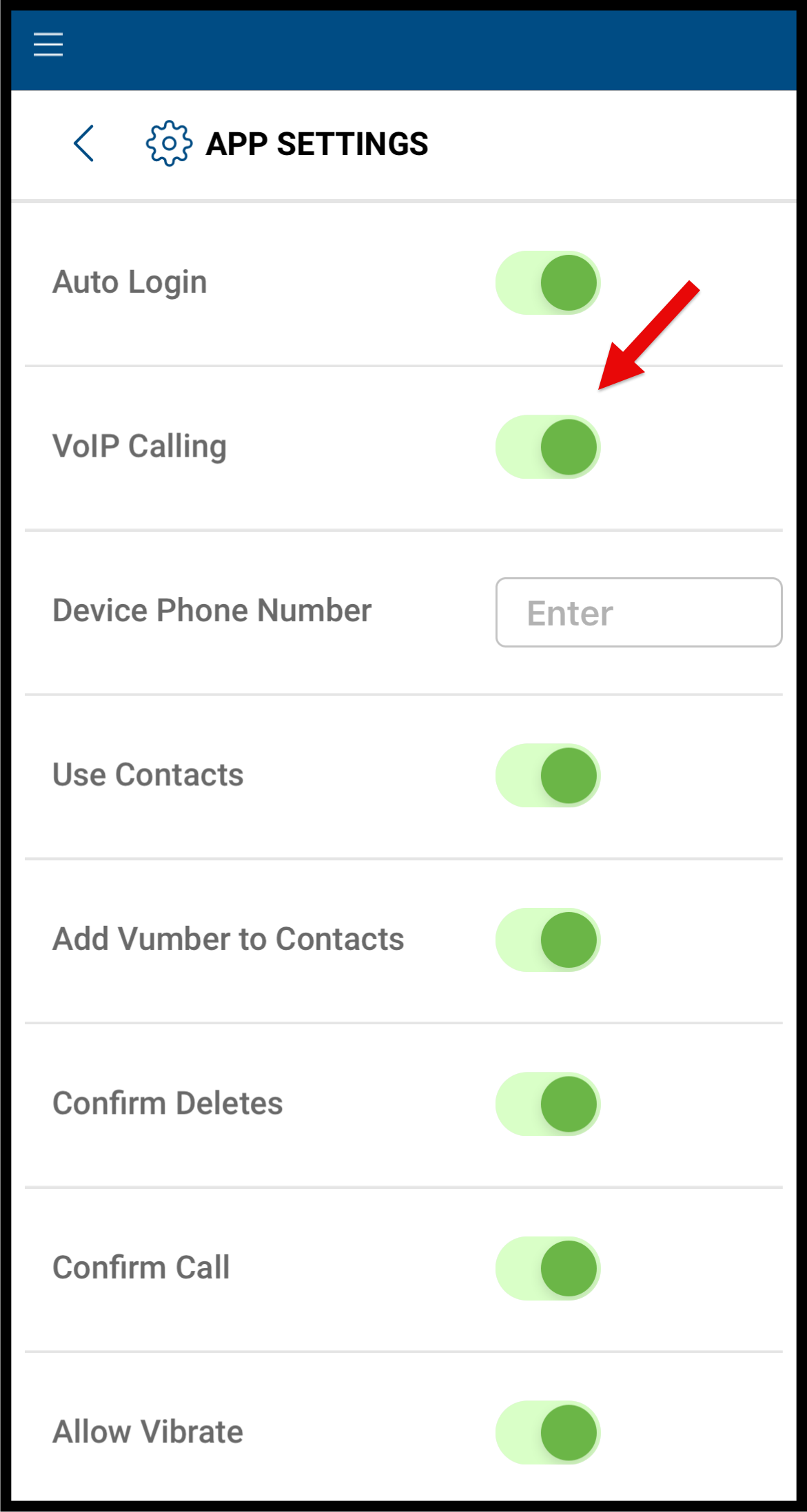
- Toggle the VoIP option to turn it on (the switch should turn green).
Utilizing your native phone line provides benefits such as enhanced call quality, seamless call handling even during incoming calls, and minimal impact on data usage. Consider these advantages alongside your specific communication requirements when deciding between your phone line and VoIP.
If you encounter any issues or need further assistance, feel free to reach out to our support team.
The Vumber Team