
How to Challenge Callers to Press 1 Before Being Connected
Challenging callers to press 1 before connecting the call is an effective way to deter unwanted robocalls and ensure that only genuine callers reach your phone. This feature prompts callers to take an action before their call is connected, enhancing the security and authenticity of your communications.
Steps to Challenge Callers:
- Open the Vumber app on your mobile device.
- Tap the hamburger menu icon located in the top left corner.
- Select "My Numbers" from the menu options.

- Choose "Configure" next to the number you want to apply this feature to.

- Navigate to the "Call Forwarding" section.

- Tap "Challenge Callers" located at the bottom to open the drop-down menu.
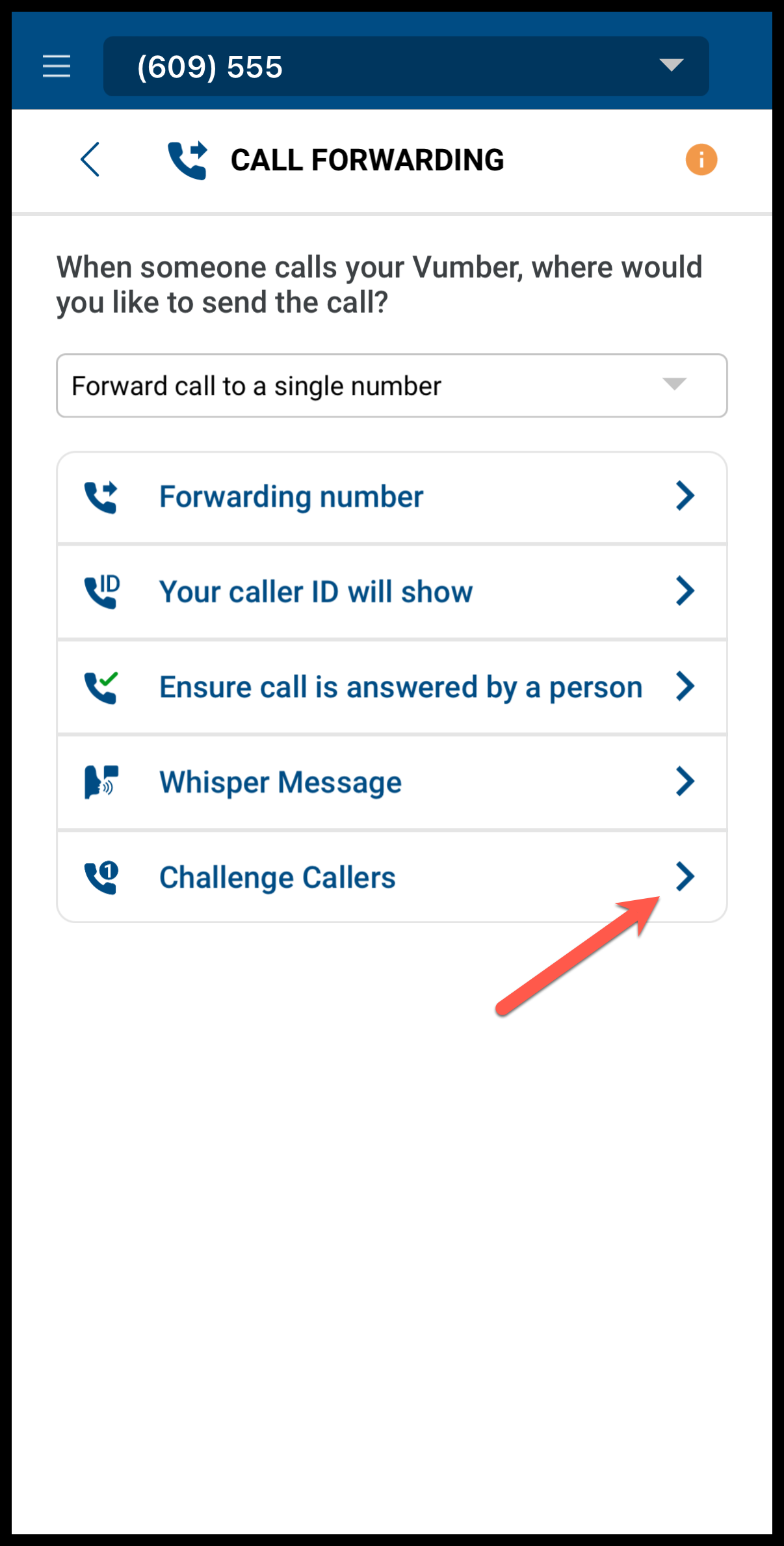
- Select the circle beside "Challenge Callers" to activate this feature.
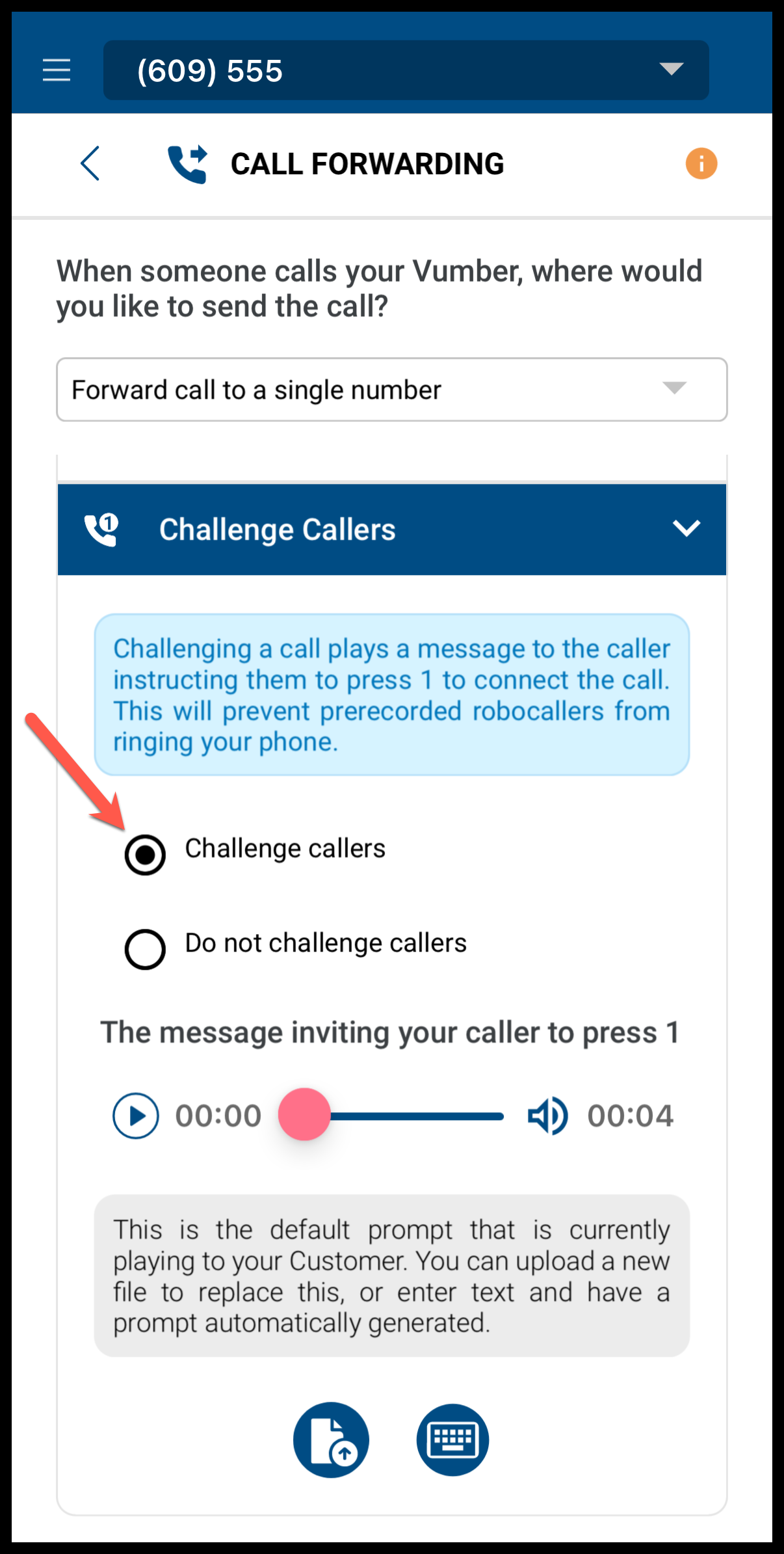
This function is now live.
In this section, you also have the option to customize the default message that callers hear, prompting them to press 1 to be connected. You can either type a new text-to-speech message or upload your own personalized message.
How to Challenge Callers to Press 1 via the Vumber Dashboard:
- Log in to your account at https://app.vumber.com.

- Select "My Numbers" from the menu options on the left.

- Click "Configure" to the right of the number you want to apply this feature to.

- Choose the "Call Forwarding" option from the tabs.

- Scroll down the page until you see the "Challenge Callers" section at the bottom.
- Click the "Challenge Callers" option to activate this feature.
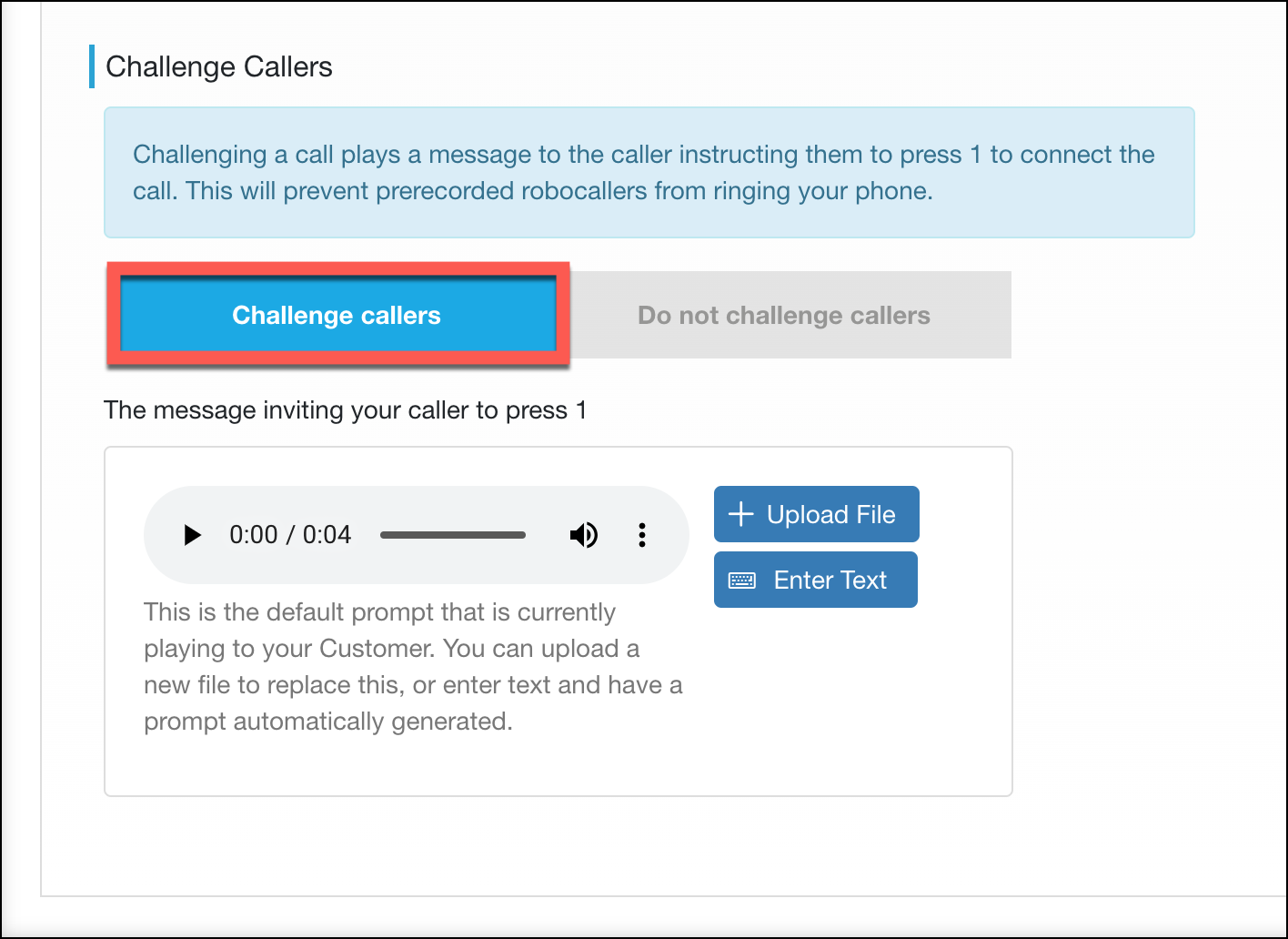
This function is now live.
If you encounter any issues or need further assistance, feel free to reach out to our support team.
The Vumber Team