
How to Turn off the Press 1 Feature to Answer Calls
Ensure a seamless calling experience by deactivating the "Press 1" feature on your Vumber number. This functionality eliminates the need for you to press 1 to be connected to the caller, streamlining your call answering process.
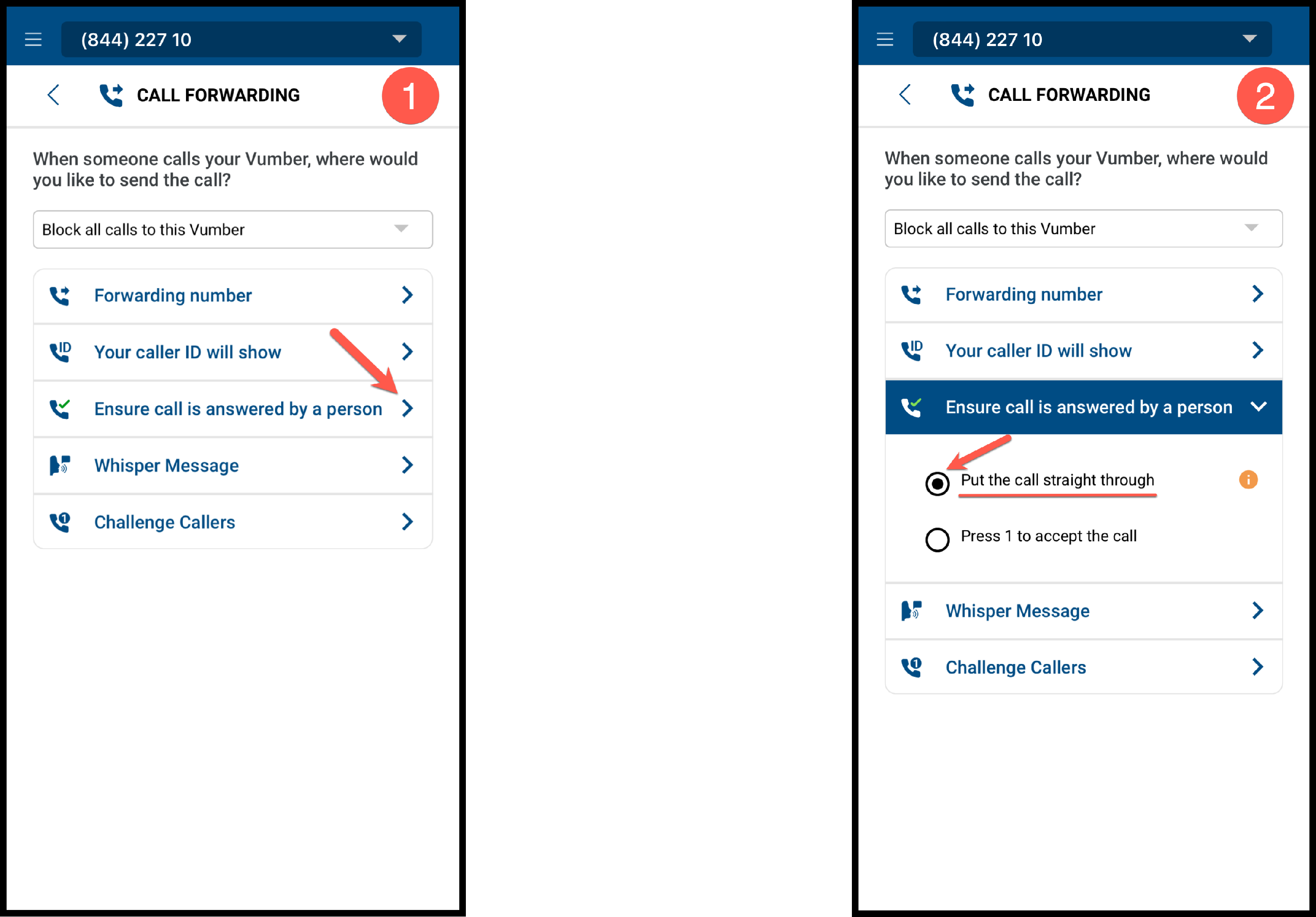
Steps to Deactivate the "Press 1" Feature throught the Vumber app:
- Open the Vumber app on your mobile device.
- Tap the hamburger menu located at the top left corner and navigate to "My Numbers."

- Press "Configure" next to the desired number.

- Choose 'Call Forwarding' from the options.

- Find the 'Ensure call is answered by person' option.
- Tap 'Put the call straight through' to disable the "Press 1" feature.
Steps to Deactivate the "Press 1" Feature throught the Dashboard:
- Log in to your account at https://app.vumber.com.

- Select "My Numbers" from the menu on the left.

- Press "Configure" next to the number you wish to modify.

- Choose the "Call Forwarding" option.

- Scroll down to find the "Ensure call is answered by person" option.
- Select "Put the call straight through" to disable the Press 1 feature.
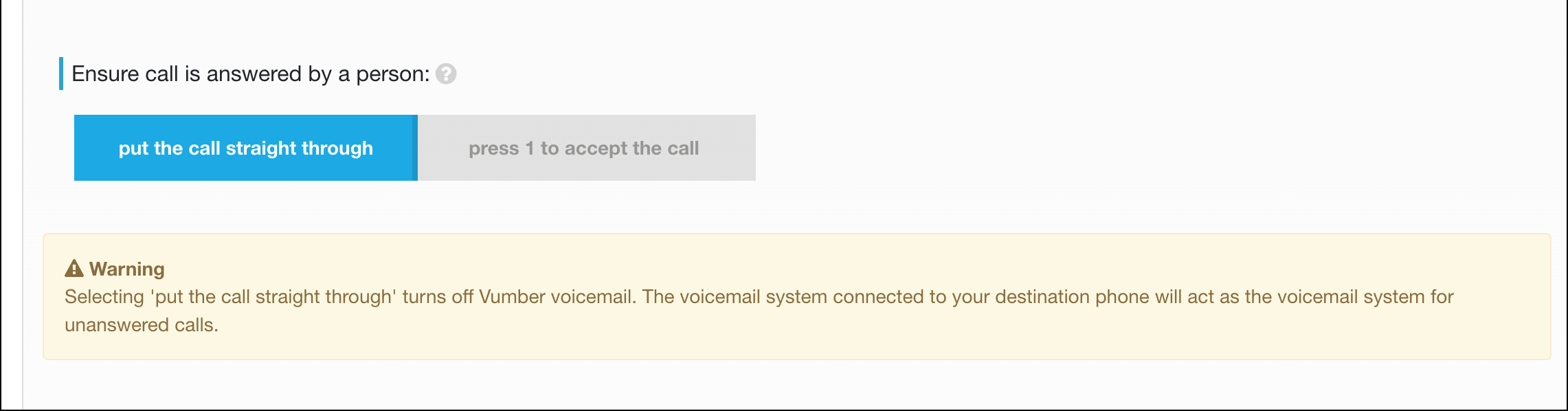
Please note that deactivating the press 1 feature to answer calls will disable your Vumber voicemail for that number. Instead, callers will be directed to the voicemail of the destination phone.
If you encounter any issues or need further assistance, feel free to reach out to our support team.
The Vumber Team